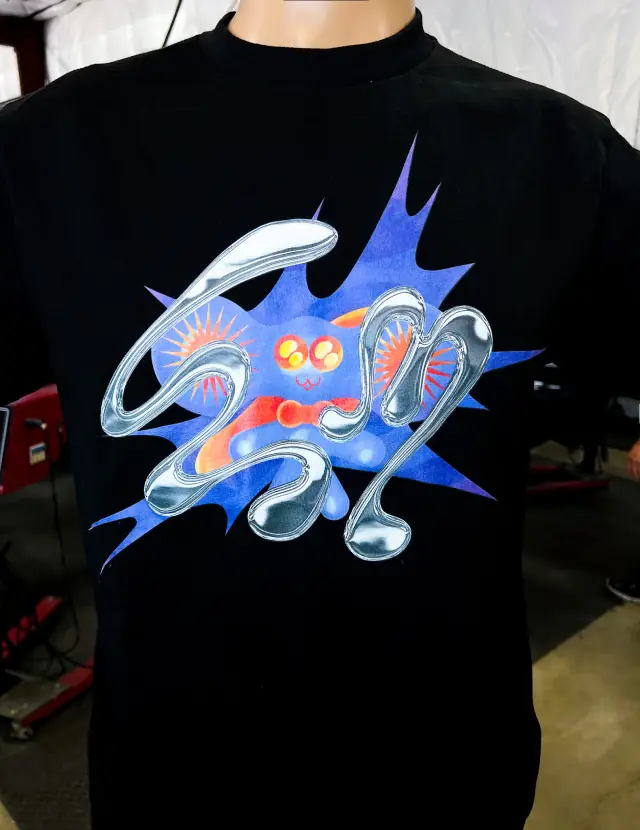
How Shopify models a shirt
Shopify builds a product from options and values. A tee with the options Size (S, M, L, XL, 2XL) and Color (Black, White, Sand) has fifteen variants, one for every combination. Each variant carries its own price, SKU, barcode, weight, stock count and, for exports, HS code and country of origin.
The current limits, from Shopify's variants documentation:
- Up to three options per product.
- Up to 2,048 variants per product.
- Up to 250 media items (images and video) per product.
- Some third-party themes, apps and sales channels only support 100 variants, and Shopify names its Stocky app and the legacy Order Printer among the apps that do not handle more.
For most merch, 100 is the number to watch. A tee offered in 12 colors and 9 sizes (XS to 5XL) is 108 variants. That is allowed, but test the theme's variant picker, your fulfillment app and any marketplace channel before you publish it.
Choosing your options
Size and color are the obvious two. The third option tempts people into putting different garments into one product: "Style: Tee / Long Sleeve / Hoodie". Avoid that. Different garments have different size charts, weights, fabric facts and prices, and mixing them makes filters and size charts wrong for some variants. Make each garment its own product and link them with a "complete the set" collection or related products.
Good uses for a third option on apparel:
- Print or thread color, when the same garment color comes with two ink colors.
- Fit, when the same design comes on a standard and a cropped cut from one blank family and the size chart can show both.
- Bundle choice, such as "Tee only" or "Tee + poster", if your fulfillment partner can pick bundles.
One product per color, or colors as variants? Variants keep reviews, the size chart and the page together, and that is the right default. Separate products per color make sense when colors differ in price or story (a garment-dyed run next to standard colors), when each color needs its own search-friendly page, or when the variant count breaks something. If you split them on a Plus or enterprise plan, combined listings can show the separate products as one listing while each keeps its own URL and images.
Give each color variant its own image so that choosing a color in the picker swaps the photo, and shoot every color from the same angle so the switch reads clearly. Write image alt text that names the garment and color, which helps screen reader users and search. Keep option values identical across products ("Black", never "black" on one and "BLK" on another): filters, reports and size-run exports group by the exact text.
Assign each product a product category and connect your Size and Color options to the matching category metafields. Shopify then treats "Black" as a defined color entry rather than free text. Renaming the entry (say, to "Washed Black") updates every variant that uses it, and filters and analytics can group by it.
SKUs and barcodes
A SKU is your internal code for one variant. Shopify's SKU guidance is sensible for merch: make every SKU unique, keep it short (it suggests no more than 16 characters), use letters and numbers with dashes or underscores between parts, avoid spaces and symbols, and avoid characters that are easy to confuse such as 0 and O or 1 and I.
A pattern that survives many drops is season or drop, design, garment, color, size:
| Part | Example | Notes |
|---|---|---|
| Drop or season | FW26 | Lets you sort and report by release |
| Design | SKL | Three or four letters per artwork |
| Garment | TEE, HD, CAP | Matches the product, not the blank brand |
| Color | BLK, WHT, SND | Use the same codes across every garment |
| Size | S, M, L, XL, 2XL | Never "XXL" on one product and "2XL" on another |
That gives FW26-SKL-TEE-BLK-L, which a packer can read off a shelf label. Pick one size notation and keep it forever, because exports, size-run reports and reorders all depend on it.
The barcode field is separate and holds a scannable code if you use one. Warehouses often ask for one: Fourthwall's 3PL guide, for example, asks for SKUs and unique barcodes on every product sent in. If you plan to use a 3PL or retail wholesale, ask them which barcode format they need before you label stock.
Size charts: three ways to show them
Shopify's metafields page uses a clothing size chart as its worked example: a product metafield called "Size chart" shown as a pop-up on product pages. The common approaches:
| Approach | How it works | Suits |
|---|---|---|
| Page plus metafield | Build each chart as a store page, add a product metafield that references a page, pick the right chart on each product, then show it in the product template with the theme editor's dynamic source | Most stores; one chart per garment style, reused across designs |
| Theme size chart block | Some apparel themes include a size chart setting or block on the product template | Stores whose theme already has it; check how it handles many charts |
| Size chart app | Apps in this category add charts by product rule, and some add fit questionnaires or size recommendations | Large catalogs, or stores that want fit guidance beyond a table |
Showing a metafield without code needs a theme that supports dynamic sources; older themes need code changes.
Whatever the method, the chart is only as good as its numbers. Measure the actual blank flat (body width, body length, sleeve) or use the manufacturer's spec sheet, give inches with centimeters, say whether figures are garment measurements or body measurements, and add one line on fit ("boxy cut, size down for a standard fit"). T-shirt size charts explains how to read and build one, and product pages that sell apparel covers where it sits on the page.
Inventory: per variant, per location
Turn on Inventory tracked for each variant you hold. Shopify then keeps a count for that variant at each location, which is any place you stock, sell or ship from: your own shelf, a printer, a warehouse or a fulfillment app (locations). Plans cap the number of locations: Basic, Grow and Advanced allow 10 and Plus allows 200, per the pricing page.
Shopify splits a location's stock into inventory states:
- On hand: everything physically there.
- Available: what can be sold.
- Committed: reserved by unfulfilled orders, draft orders or transfers marked ready to ship.
- Unavailable: on the shelf but not sellable, with reasons such as damaged, quality control or safety stock.
- Incoming: on its way from a transfer, purchase order or app.
Those states map well onto merch work. Misprints and pieces waiting for a quality check go to unavailable rather than being deleted, so the on-hand count still matches the boxes. A finished run on a truck from the printer is incoming. A few pieces of each size held back for exchanges can be safety stock, which stops you selling the last Medium you need for a swap.
Plan quantities with the size run guide, and keep an eye on blank availability: a color your blank maker drops cannot be restocked however good your data is (blank colors and stock risk).
Overselling and the out-of-stock setting
Each tracked variant has a Continue selling when out of stock checkbox. With it on, customers can buy after the count reaches zero and inventory goes negative (selling when out of stock). It only works while tracking is on, and it does not apply to orders taken in Shopify POS.
Use it deliberately:
- On for core styles you can reprint quickly, with a ship-date note on the page.
- On during a defined pre-order window, if you are not using a pre-order app; running pre-orders on Shopify explains the trade-offs.
- Off for limited drops, anything on a discontinued blank, and any variant where a reprint would need new screens for a handful of units.
A negative count is also an alarm. If a size goes negative when you did not expect it, check whether two locations or a sales channel are selling the same stock before you promise a reprint.
Sources
- Shopify Help Center: Adding variants, checked 2026-10-04
- Shopify Help Center: Combined listings, checked 2026-10-04
- Shopify Help Center: Product category, checked 2026-10-04
- Shopify Help Center: SKUs, checked 2026-10-04
- Shopify Help Center: Metafields, checked 2026-10-04
- Shopify Help Center: Inventory states, checked 2026-10-04
- Shopify Help Center: Selling when out of stock, checked 2026-10-04
- Shopify Help Center: Locations, checked 2026-10-04
- Shopify pricing, checked 2026-10-04
- Fourthwall Help: 3PL fulfillment service guide, checked 2026-10-04
Useful for: clothing brands, bands, creators.